
Table of Contents
ToggleFree Grammar Check Tool – Complete Beginner’s Guide (100% Free)
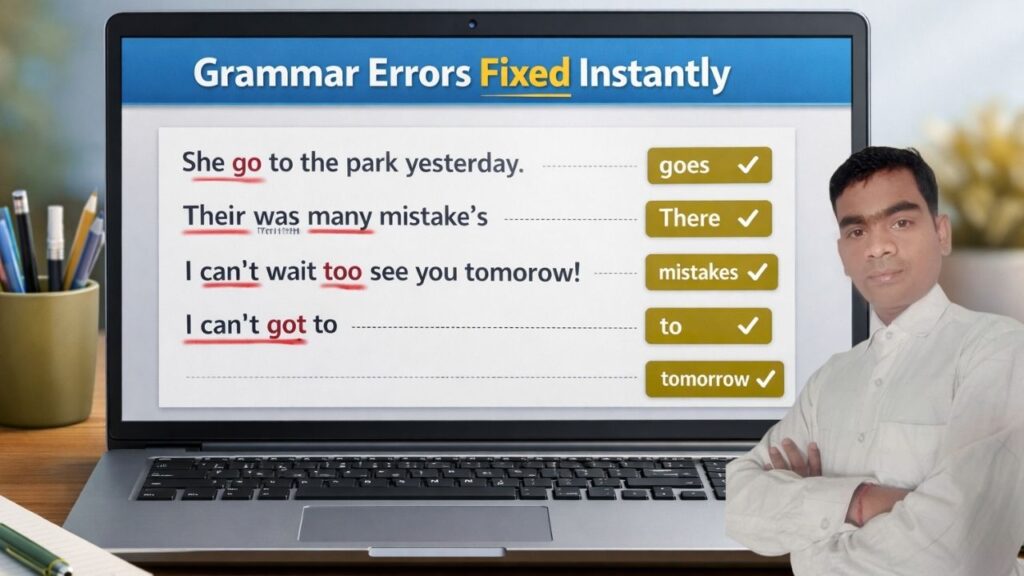
Creating content feels easy now. We all write every day for work or school. Yet, writing clear English is still hard for many people. Small errors confuse readers and hurt your search rankings. A free grammar tool is a great fix for this. It helps students and new writers find mistakes fast. Use it to check your work before you share it with others. This guide teaches you how these tools work and why they help. Learn how to use them to improve your skills today.
What Is a Free Grammar Check Tool?
A free grammar check tool is online software that scans your text and finds grammar, spelling, punctuation, and sentence structure mistakes. It suggests corrections so your content becomes clear, professional, and easy to read.
In simple words:
Free grammar check tool = Writing mistake detector
A free grammar tool works like a quick way to spot your writing slips. It finds mistakes as you type and marks them for you. This is a big help for people who are still learning English. You can fix your work fast without the cost of a private editor.
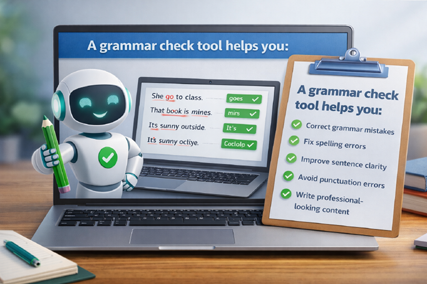
A grammar check tool helps you:
- Correct grammar mistakes
Fix spelling errors
Improve sentence clarity
Avoid punctuation errors
Write professional-looking content
Best Free Grammar Check Tools for Beginners
Grammarly is the world’s most popular free grammar check tool, used by everyone from beginners to professionals.
1️⃣ Grammarly (Free Version)
Beginners learning English
Daily writing (emails, assignments, blogs)
Basic grammar + spelling correction
What do you get in the Grammarly free version?
Grammar mistakes correction
Spelling errors fix
Punctuation errors detect
Sentence clarity improves.
Real-time suggestions
Grammarly’s interface is very simple. All you have to do is paste your text, and the tool automatically highlights mistakes.
2️⃣ QuillBot Grammar Checker (Free)
Students
Bloggers
Simple English writing
Main features of QuillBot Grammar Tool
Grammar error detection
Simple English correction
Clean and distraction-free interface
Fast results without login
QuillBot Grammar Checker is becoming increasingly popular among beginners and bloggers.
- Now this question must be going on in your mind: how will we add the QuillBot extension to our browser? In this article, we are going to explain in detail with step-by-step pictures.
QuillBot Grammar Checker (Free) Extension Install Kaise Kare?
By installing the QuillBot Grammar Checker browser extension, you can check grammar directly in Gmail, Google Docs, blogs, and assignments. This extension is 100% free and very easy to use for beginners.
Step 1: Open the Official Website
quillbot.com grammar-check Here you find both QuillBot’s grammar checker and extension options.
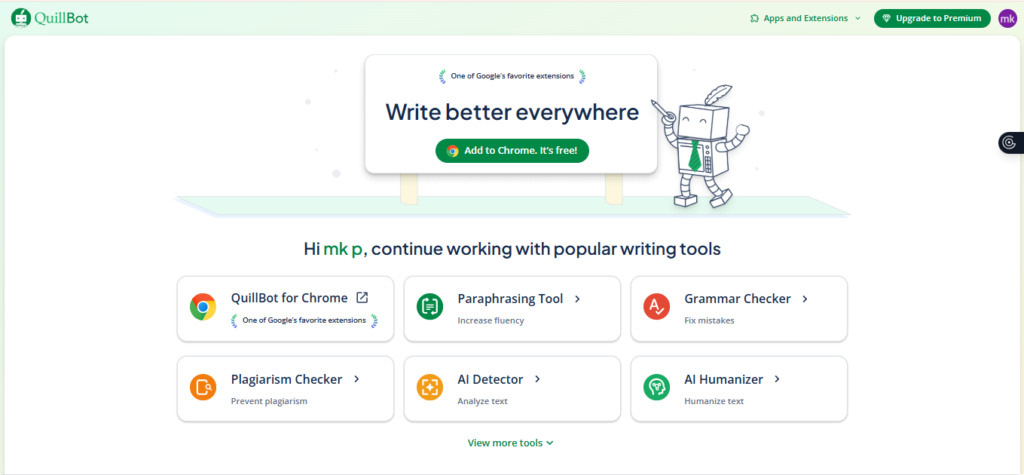
Step 2: Go to Browser Extension Page
You’ll see the “Extensions” option in the top menu of the website. Click on it and select the option that best suits your browser:
- Chrome
- Edge
- Firefox
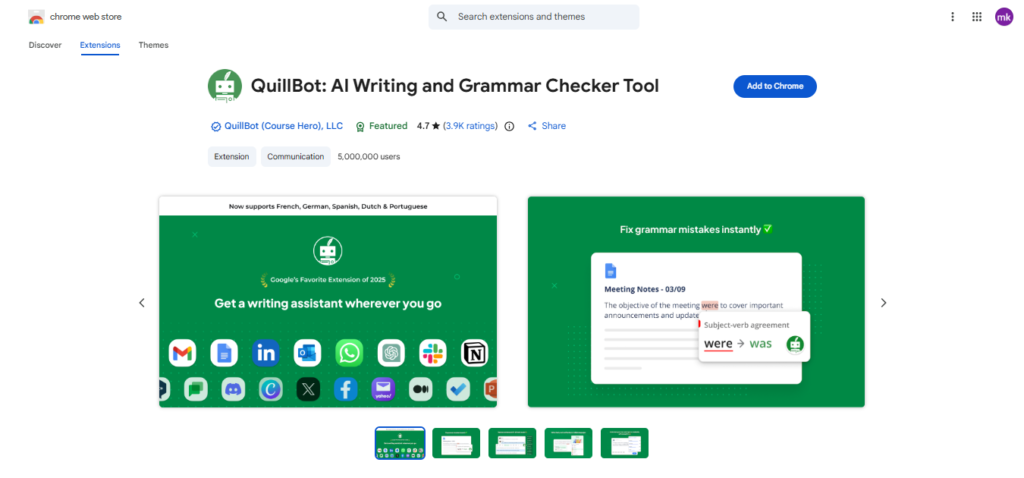
Step 3: Go to Browser Extension Page
If you’re using Google Chrome, then:
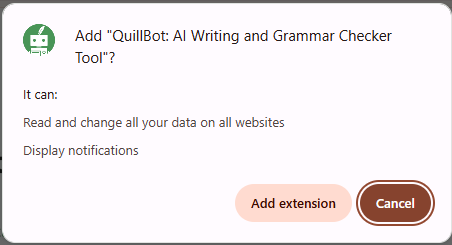
- Click the Add to Chrome button
- A pop-up will appear. → Click Add Extension
The extension will be installed in a few seconds.
Step 4: Enable the Extension
Once installed:
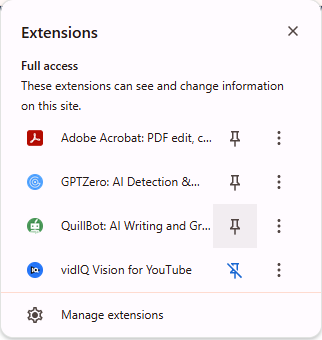
- Click the puzzle icon in the top-right corner of the browser.
- Pin QuillBot Grammar Checker.
The extension will now always be visible.
Grammar Mistakes That Beginners Often Make
free grammar check tool New writers struggle with many basic and simple English rules. These small slips make your work look messy or confusing for those who read your blog posts. Using a simple check tool fixes these bugs very fast.
Common Writing Slips To Watch Out For
- Messing Up Your Verb Tenses Many people swap past and present words by mistake in their work. If you began your story in the past, stay there for the rest of the piece. For example, she went to school on a very sunny day last week.
- Subject-Verb Agreement Errors Verbs must match the person or thing they describe in every part of the text. Singular subjects need singular verbs to make the sentence sound right. Plural ones need plural verbs to stay clear and clean for the reader.
- Missing or Wrong Punctuation Marks: A missing comma or period changes the point of a whole page in a second. You must watch where you put your writing marks very carefully.
- Simple Blunders With English Articles Words like “a,” “an,” and “the” are tricky for new writers. Using the wrong one sounds very off to native ears when they read your work.
- Repeating The Same Words Too Often Using one word too much makes your story feel dull. You should find new ways to say things in your daily writing work.
Daily practice makes your writing look much better every single day. Using free grammar check tools helps you learn from your past slips as you become a better writer.
Free Grammar Check Tool vs Manual Proofreading
New writers often find themselves in a dilemma. Is it better to use a tool or do the checking yourself? Both have their own distinct roles.
Comparison: Tool vs Human Proofreading
| Free Grammar Check Tool | Manual Proofreading |
|---|---|
| Fast and automatic | Time-consuming |
| Easy for beginners | Grammar knowledge is necessary |
| Free or low cost | Can be expensive |
| Instant suggestions | Depends on experience |
Run your writing through a free checker to catch simple errors first. Then, read the work yourself to make sure it sounds good.
How Bad Grammar Mistakes Can Hurt SEO and Writing Flow
Google does not give a direct penalty for having grammar mistakes. Poor writing still hurts search rank in many other hidden ways. Bad writing makes content much harder for people to read. When visitors leave a site fast, the search ranking will drop. Clear writing keeps visitors happy and helps a site rank much better.
How do grammar errors hurt your search engine rankings today? When content has simple grammar or spelling mistakes, readers quickly lose interest. This is why using a free grammar check tool is important before publishing any article. People leave your page fast when they see obvious typos, which causes your bounce rate to increase.
As bounce rate goes up, trust goes down, and fewer users click your internal or external links. Google prefers to show content that is clear, helpful, and easy to read. When you check your writing with a free grammar check tool, users stay on your page longer. This sends a positive signal to search engines that your content provides real value. That is why checking grammar and spelling before posting new content is essential for SEO.
How to Use a Free Grammar Checker the Right Way
Using a grammar tool correctly is very important for your work. Your writing can sound fake if you follow every single suggestion. Read each tip carefully before you click to change your text. This helps you keep a natural tone that people like reading. Always check that the new words fit your first idea.
- Start by writing your whole draft. Do not agree with every change the tool suggests. Always check that your sentences mean what you want. Use short and clear words. Read your work one last time before you finish. Software helps with errors, but the ideas must be yours.
Important Question
Is a free grammar check tool accurate?
- Yes, a free grammar check tool is accurate enough for beginners. for beginners, students, and casual writers. It can easily detect common grammar, spelling, and punctuation mistakes. While it may not catch every advanced error, it works well for everyday writing and basic content improvement.
free grammar check tool Can grammar tools replace human editing?
- No, grammar tools cannot fully replace human editing. A free grammar check tool acts as a helpful assistant, not a complete replacement. Human judgment is still important for tone, context, and meaning, especially in professional or creative writing.
Is perfect grammar required for SEO?
- No, 100% perfect grammar isn’t necessary for SEO. The real difference lies in whether people can easily read your content. If small mistakes are repeatedly visible during writing, readers tend to abandon the page quickly. But when content is clear and easy to understand, people stay
Conclusion
Free grammar tools help writers and students fix errors quickly. They polish your ideas and catch tiny typos that you might have missed on your own. You can build your writing skills every day by using these helpful apps to check your work. It is still very important to practice writing on your own to stay sharp.
A quick check of your work makes a huge difference in how the final draft looks. Always read your work one last time before you post it online. This simple habit makes your text look great and very easy for others to read. It helps you share your thoughts with your readers in a very clear way. Clean text also helps your site show up higher in search results.
Using a free grammar check tool is a smart habit for beginners, students, and writers. It helps fix small mistakes, improves clarity, and builds confidence over time. When you check grammar before publishing, your content becomes easier to read and more professional, which also supports better SEO performance.